Has recibido un email y quieres descargarlo en tu cliente de mail local. POP3 (Post Office Protocol version 3) está diseñado para permitir la comunicación entre cliente y servidor.
Un email se manda usando SMPT y se recupera usando POP3. Algunos comandos habituales son:
USER <username>: Identifica al usuario.PASS <password>: Provee la contraseña del usuario.STAT: Pide el número de mensajes y el tamaño total.LIST: Lista todos los mensajes y sus tamaños.RETR <message_number>: Rescata el mensaje especificado.DELE <message_number>: Marca un mensaje para su eliminación.QUIT: Termina la sesión POP3, aplicando cambios.
Debajo podemos observar una sesión POP3 en telnet:
bash
user@TryHackMe$ telnet 10.10.65.120 110
Trying 10.10.65.120...
Connected to 10.10.65.120.
Escape character is '^]'.
+OK [XCLIENT] Dovecot (Ubuntu) ready.
AUTH
+OK
PLAIN .
USER strategos
+OK
PASS
+OK Logged in.
STAT
+OK 3 1264
LIST
+OK 3 messages:
1 407
2 412
3 445
.
RETR 3
+OK 445 octets
Return-path: <user@client.thm>
Envelope-to: strategos@server.thm
Delivery-date: Thu, 27 Jun 2024 16:19:35 +0000
Received: from [10.11.81.126] (helo=client.thm)
	by example.thm with smtp (Exim 4.95)
	(envelope-from <user@client.thm>)
	id 1sMrpq-0001Ah-UT
	for strategos@server.thm;
	Thu, 27 Jun 2024 16:19:35 +0000
From: user@client.thm
To: strategos@server.thm
Subject: Telnet email
Hello. I am using telnet to send you an email!
.
QUIT
+OK Logging out.
Connection closed by foreign host.
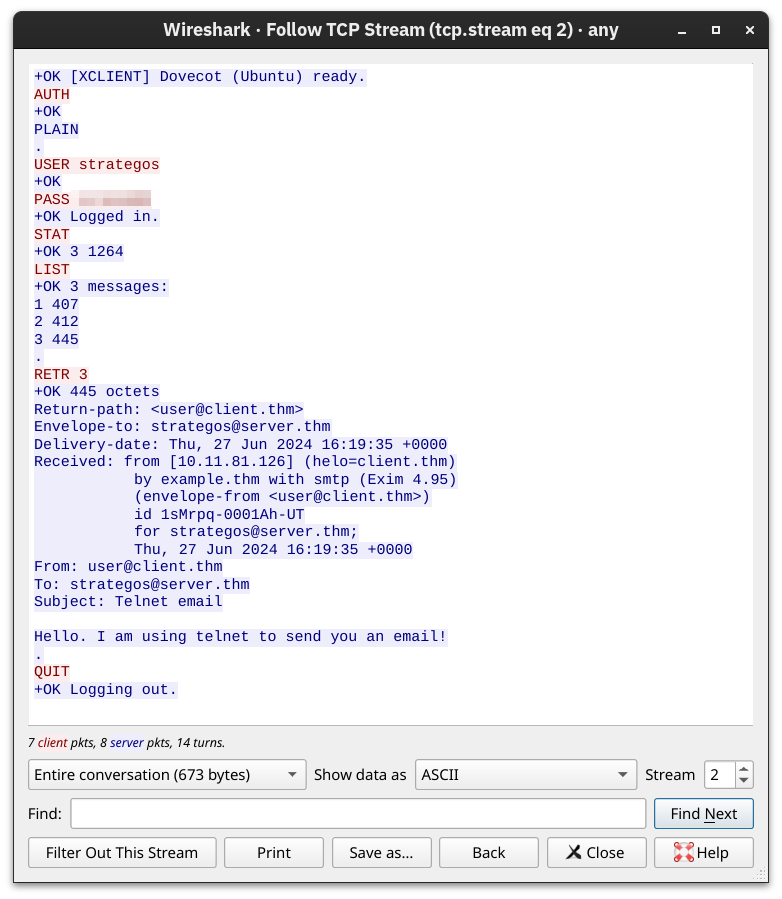
Debajo en una imagen con la letra roja (cliente) y letra azul (servidor):